[Editors Note: This review originally appeared on Gear Diary]
The LG V30 has been one of the most anticipated flagship devices for 2017. From a specifications perspective, you won’t find many with better and the camera (and accompanying app) are outstanding. But after using the V30 for the past couple of weeks, I have my reservations about this phone.
Don’t get me wrong. The V30 is a good overall phone but it isn’t great. My biggest complaint about the phone is the “hollow” feeling of the back. I appreciate that I’m probably being picky, but at a $800 price point, I expect a phone to feel solid. The V30 doesn’t.
Can I recommend it? Yes but for the price, there may be better options out there.
Specifications
The V30 from a specifications perspective, has what you would expect from a late-2017 flagship device. It is powered by the octa-core Snapdragon 835 SoC with 4×2.45 GHz Kryo & 4×1.9 GHz Kryo cores. It is coupled with the Adreno 540 GPU. The V30 comes with 4GB of RAM and 64GB of onboard storage. That storage can be expanded up to an additional 256GB thanks to the MicroSD card slot.
Like other flagship devices, the LG V30 sports an 18:9 ratio display. That resolution is 1440 x 2880 which gives a very eye comforting ~537PPI. The display is 6″, P-OLED unit and because of the nearly bezel-less design of the phone, takes up an impressive 81.9% of the front of the phone. It is curved on the sides and is protected by Gorilla Glass 5.
Physically, the phone measures 5.97 x 2.97 x .29″ or 151.7 x 75.4 x 7.4 mm in new money. It weighs in at a feather light 5.57 ounces (158 grams). It is IP68 water and dust resistant rated, meaning it can survive up to 1.5 meters of water for 30 minutes.
From a connectivity perspective, the LG V30 sports a wide range of LTE bands. I should note that the phone that I was sent is locked to AT&T but below I have listed all of the frequencies for the unlocked variant.
- GSM 850 / 900 / 1800 / 1900
- HSDPA 850 / 900 / 1700(AWS) / 1900 / 2100
- LTE band 1(2100), 2(1900), 3(1800), 4(1700/2100), 5(850), 7(2600), 8(900), 12(700), 13(700), 17(700), 20(800), 28(700), 38(2600)
WiFi 802.11 a/b/g/n/ac is supported with a dual-band configuration and Bluetooth 5.0 is built-in to the V30 too.
The main camera of the LG V30 is a dual camera configuration. The first camera is a 16MP f/1.6 shooter with OIS and laser plus phase detection autofocus. The second camera is a 13MP f/1.9 configuration. This camera is a 120° wide angle shooter with no auto focus. The combination of the two camera provides some excellent photo quality which I will cover later on in this review. As for the front facing selfie camera, it is a 5MP f/2.2 shooter that is also wide angle. It has a 90° angle of view.
The battery is a 3300mAh lithium-polymer unit with the phone supporting Quick Charge 3.0 technology as well as wireless charging. The battery can be charged to 50% capacity in 36 minutes according to LG. Battery life is very good out of the phone but there are tweaks that can be made to improve it, most notably going with a different launcher other than the LG UX 6 that comes stock.
Port wise, the LG V30 has a 3.5mm headphone jack, a dying element on phones in 2017. That port is B&O certified with excellent audio quality. The phone is charged via the single USB-C port. The phone has a fingerprint scanner that is rear mounted and has NFC capability for Android Pay support.
Finally, the LG V30 runs on Android Nougat 7.1.2 which is a bit of a disappointment. While LG has already committed to having an Oreo update out for the phone, it is a shame that it doesn’t come with it out of the box. It also means that it is likely only to get Android Oreo and Android P before major updates stop. In comparison, the Google Pixel 2 comes with Oreo and will get P, Q and R.
On paper, the specs of this phone are rock solid. You aren’t going to find much to complain about frankly outside of the fact that the phone ships with Nougat and not Oreo. In the grand scheme of things, that’s small potatoes but it is still there.
Form Factor
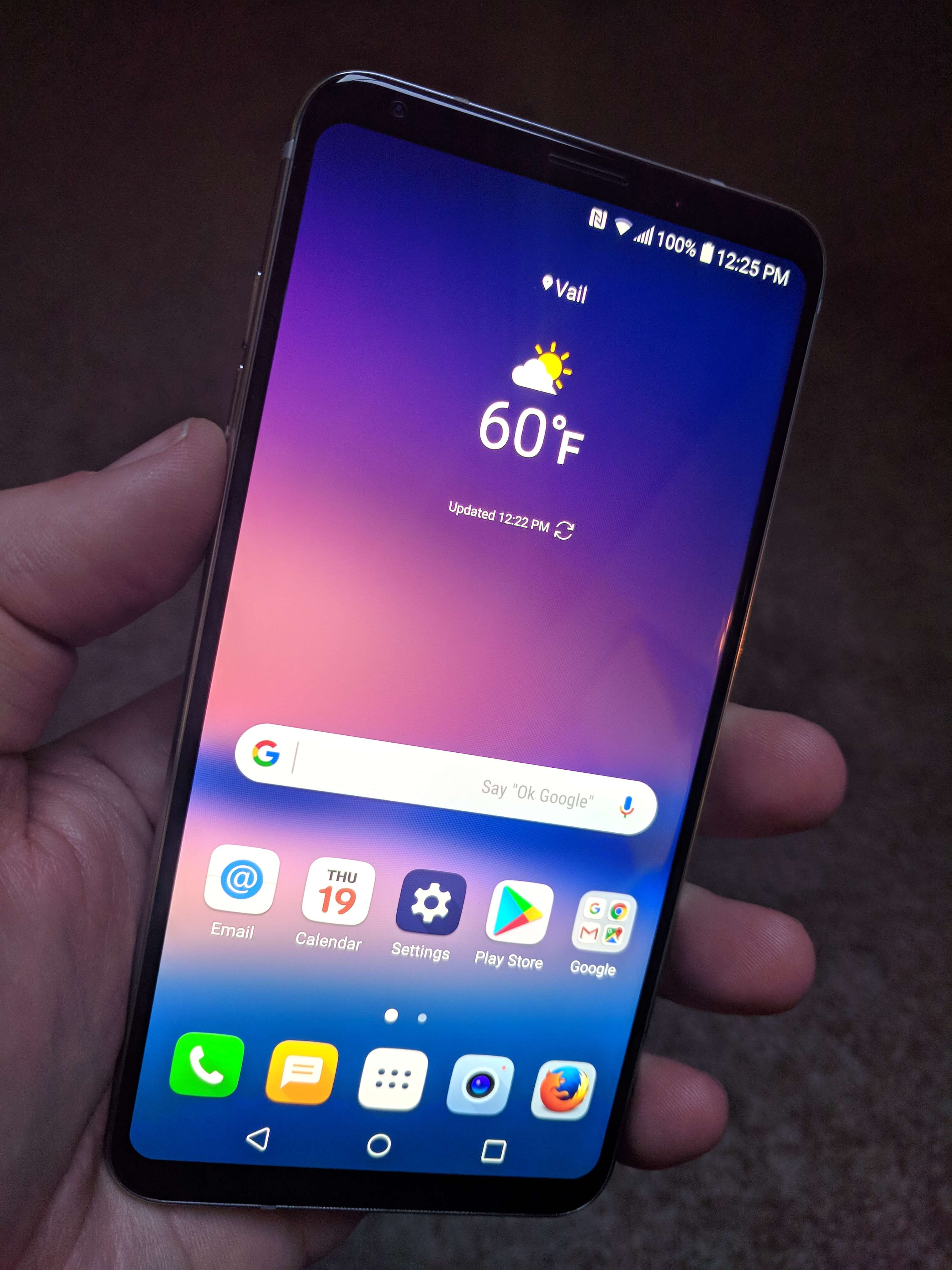
Turning to the form factor of the V30, it is a well designed phone – for the most part. The front of the phone is dominated by the 6″ display with the selfie camera positioned just above that display, to the right as you look at the phone. The speaker for the phone is in the center above the display. On the left edge is where you will find the volume rocker while on the right edge is where the SIM tray is located. On the bottom edge you will find the microphone hole, the USB-C port and the speaker.
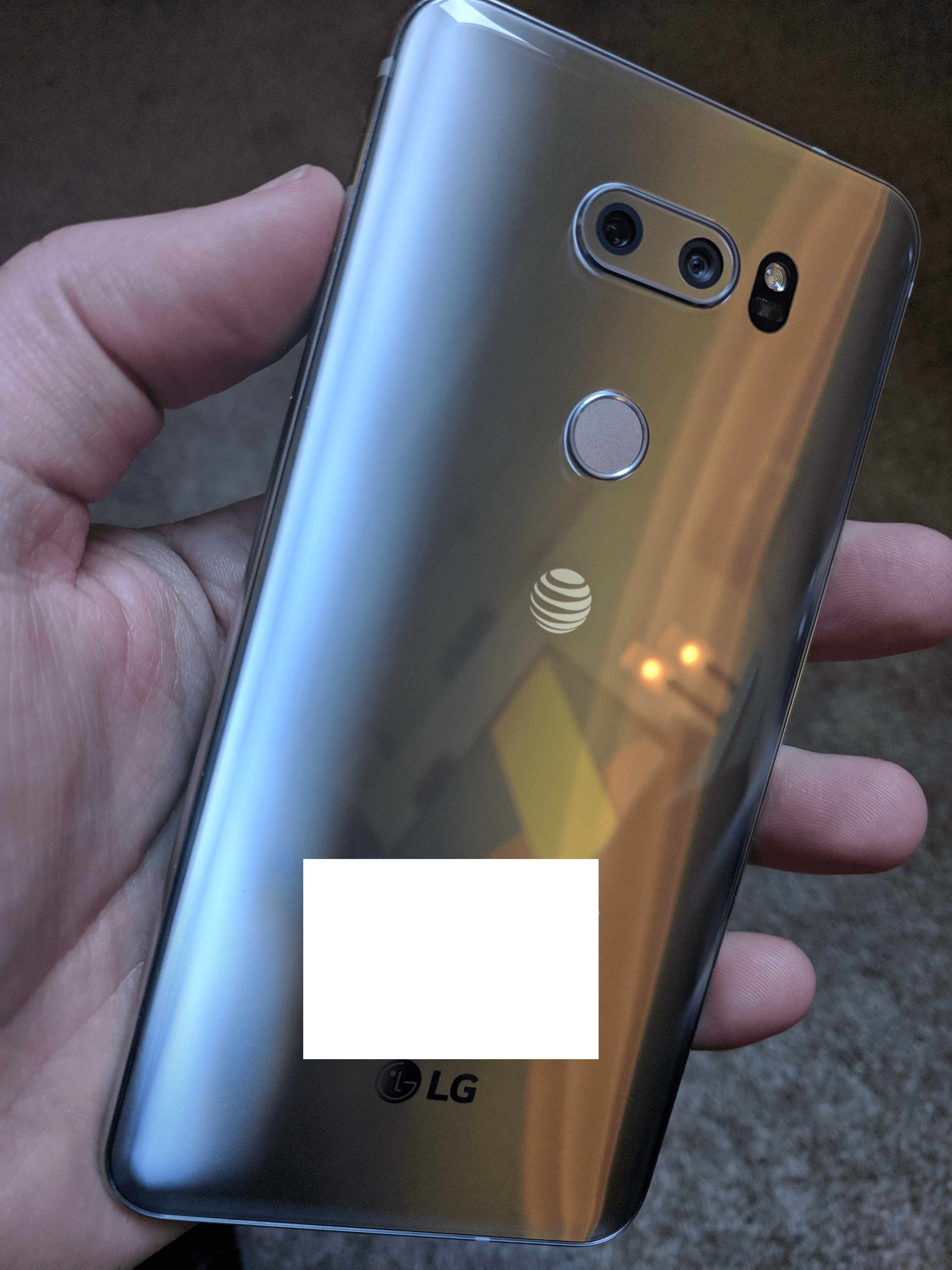
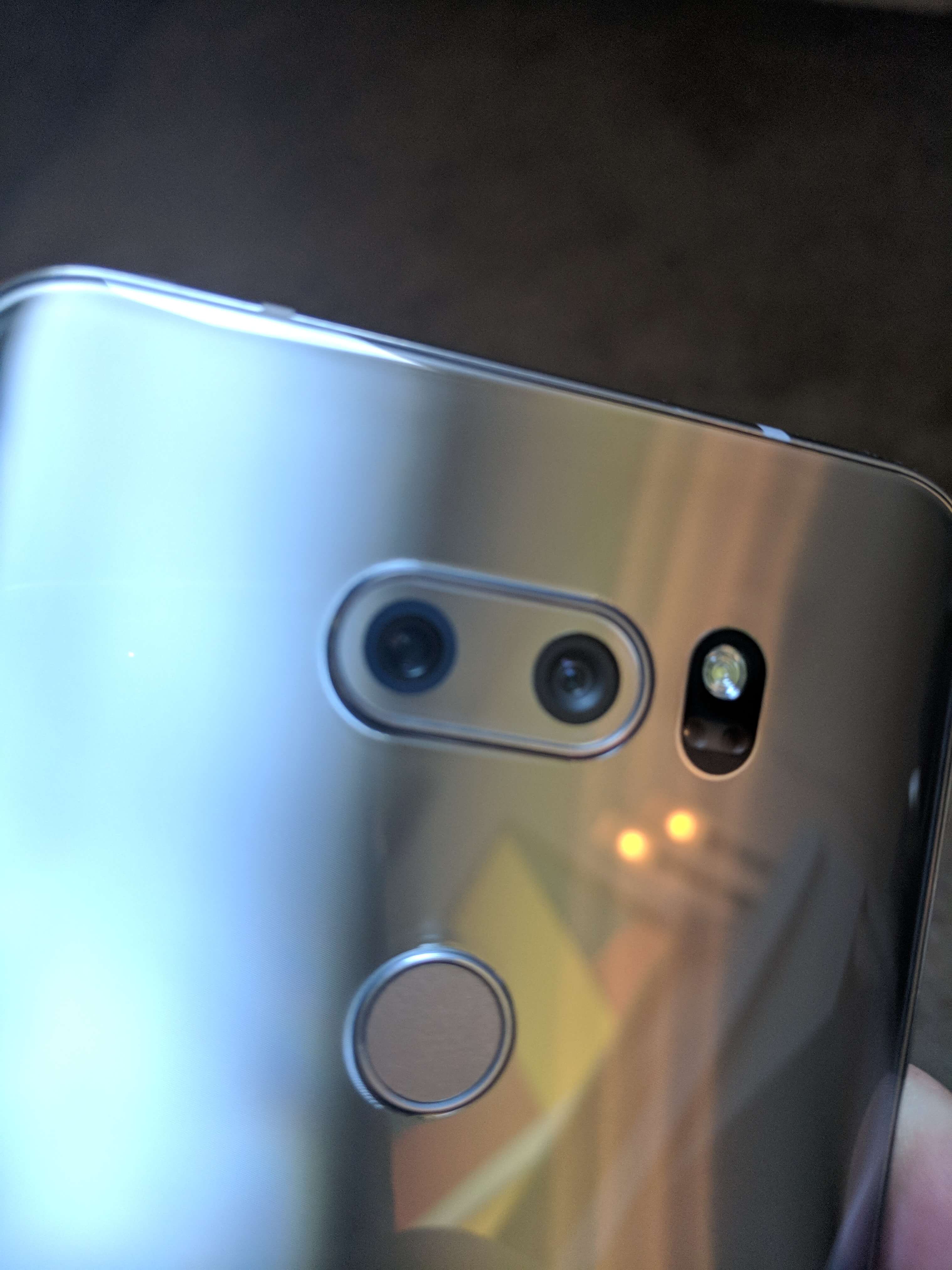
Turning the V30 over, the smooth aluminum back is nicely designed but does have a “hollow” sound to it when you tap on it. It doesn’t feel or sound solid. This is probably my biggest disappointment with phone. Size wise, it feels great in your hand but that back just feels flimsy. In the top center of the back is where you will find the dual main cameras of the device with the flash/auto focus array to the right of them. Just below the cameras is the fingerprint scanner/power switch of the phone. Pressing and holding this button powers on the phone and tapping it turns off it off. Long pressing while the phone is on allows you to restart or power down the device.
While I understand LG’s desire to keep the design of the V30 clean, this combination scanner/power button feels cheap. It feels like a thin membrane under your finger that personally, I don’t like. I personally find the fixed fingerprint scanners of the Pixel lineup as well as the Huawei devices a more preferable solution.
From a fingerprint scanner perspective, it does perform flawlessly in my testing.
Despite the not-so-solid feeling (or sound) of the back, the V30 does feel good in your hand. The 6″ screen doesn’t feel huge in your hand and it s easy to hold it and thumb operate most of the screen with one hand.
General Performance
For raw day-to-day power usage, the LG V30 isn’t going to disappoint. The Snapdragon 835 is a fantastic SoC that can easily get you through any demanding gaming task or the more likely email and web surfing throughout the day. The phone scored 1915 points on the single core test using GeekBench 4. On the multi-core test, the score was 6480. This puts it on par with the Samsung Galaxy S8, Galaxy Note8. Testing on Basemark OS II, the V30 scored 2698, which again puts it in the same area as the Samsung devices.
While benchmarking is good, the every day use of the phone is what really matters to most readers. The V30 is great for the normal stuff you do on your phone like email, Facebook, Snapchat and YouTube or Netflix watching. It can easily keep up with all of these activities without any feeling of lag or hesitation.
Display Performance
From a display perspective, you will be hard pressed to find one better than the P-OLED display of the V30. In a word, stunning. The color accuracy is fantastic and the high PPI makes it easy to view the 18:9 ratio screen for long periods of time. In my testing for this review, I had no problem with basic apps like Gmail rendering crisp, easy-to-read text while apps like Netflix were easy to watch thanks both to the size of the display as well as its HDR support.
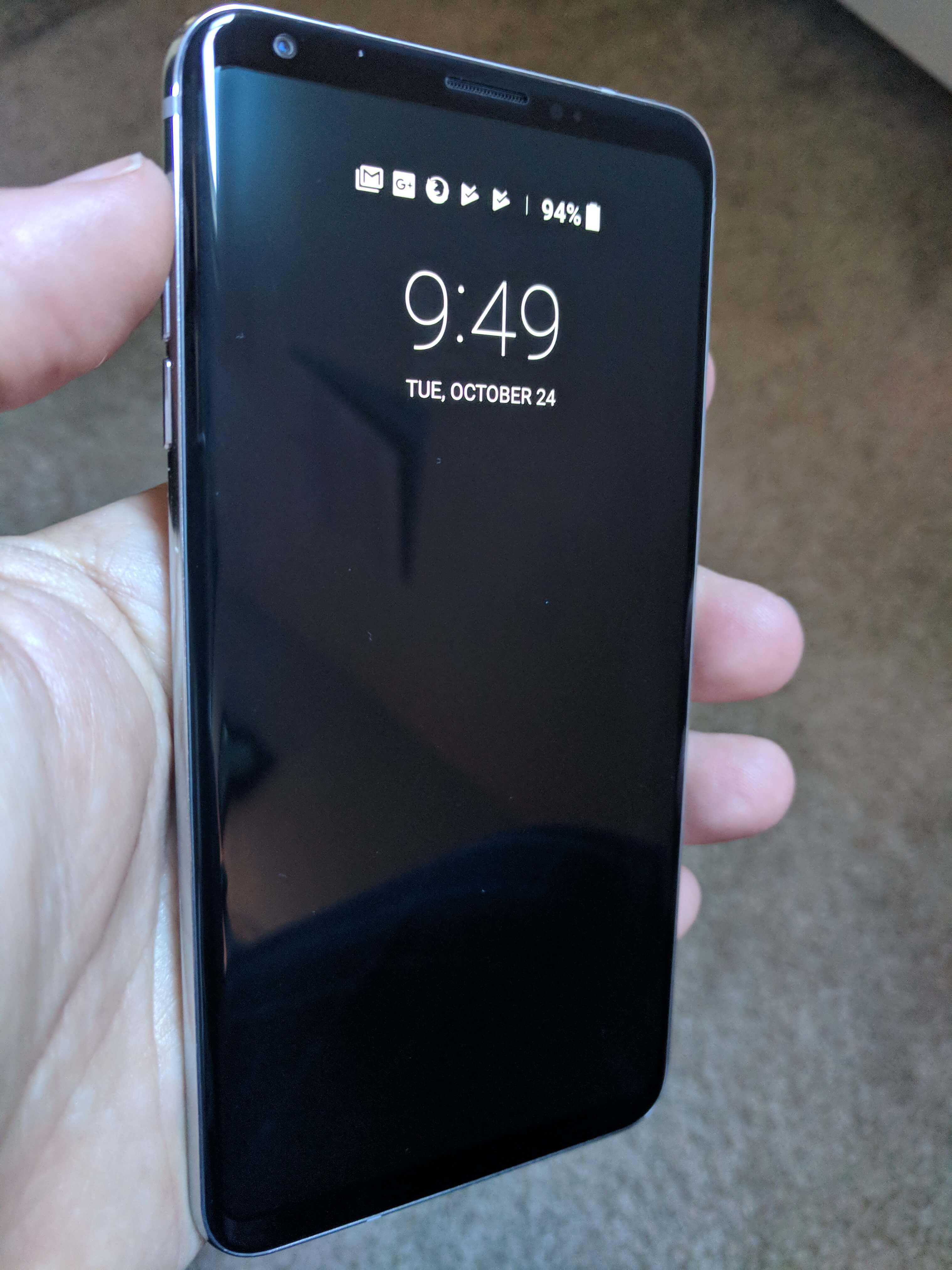
A nice feature of the display is the always-on feature. If you aren’t familiar with it, this will have a low power ambient display on when the phone is powered off. You will get the date and time as well as notification icons for apps. I’m personally a big fan of these always-on displays and LG has done a good job with theirs.
Camera Performance
Another big bright spot for the LG V30 are the cameras. The rear dual-camera configuration is excellent, providing clear, crisp images both outdoors as well as indoors. Color accuracy is excellent too on both indoor and outdoor shots.
As mentioned before, the rear camera setup has one normal lens and one wide angle lens and you can alternate between the two with a touch of the icons in the camera app (one tree for normal, three trees for wide angle). Those same buttons are available when you are shooting video too.
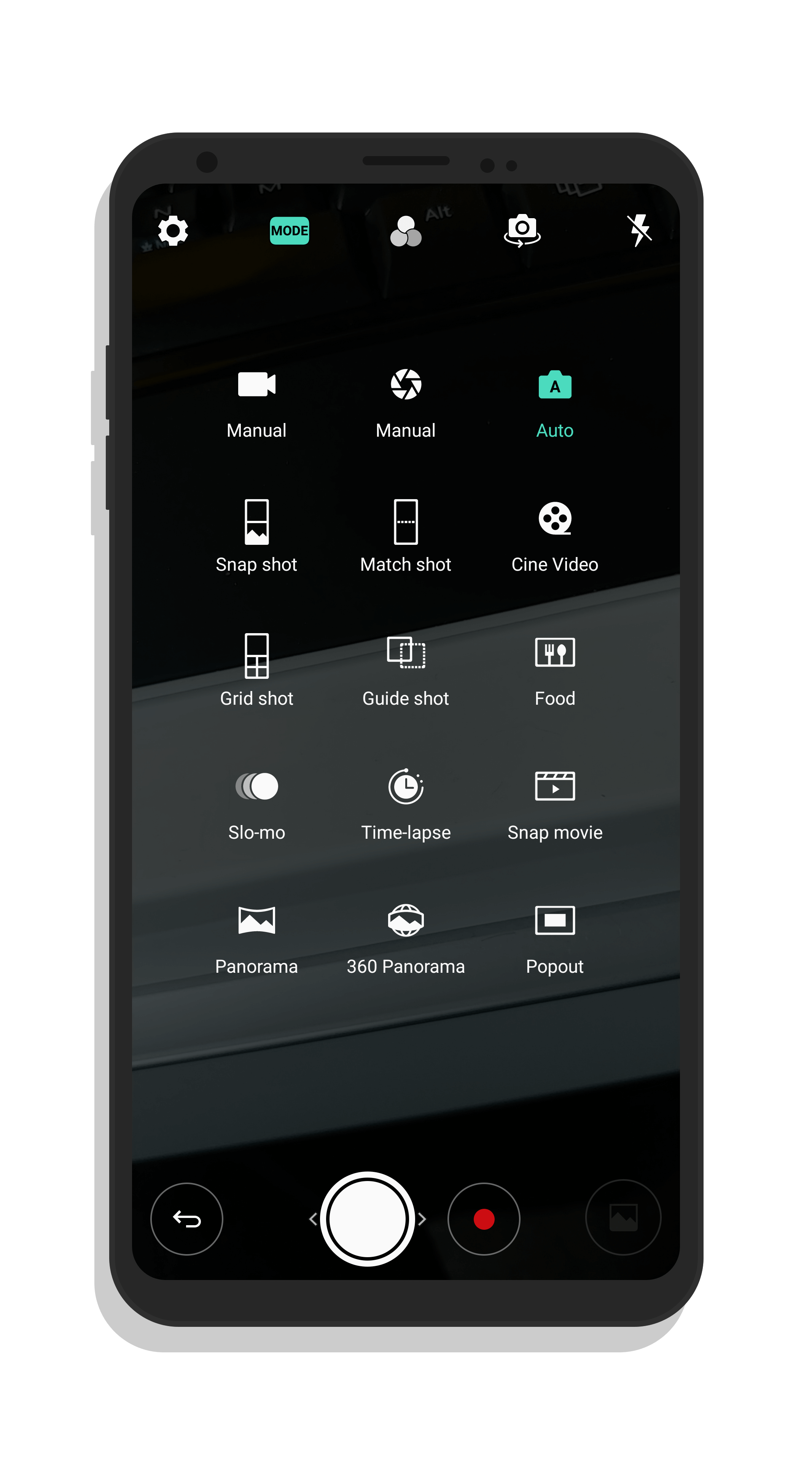
LG has done an excellent job on the camera app in the V30. There are several different modes for shooting including HDR, panoramic, manual, slow motion, 360° panoramic and even a mode to make your food shots look awesome. The Cine-Video mode allows you to create smooth zooming of your videos (think Ken Burns style) that is really a lot of fun to use.
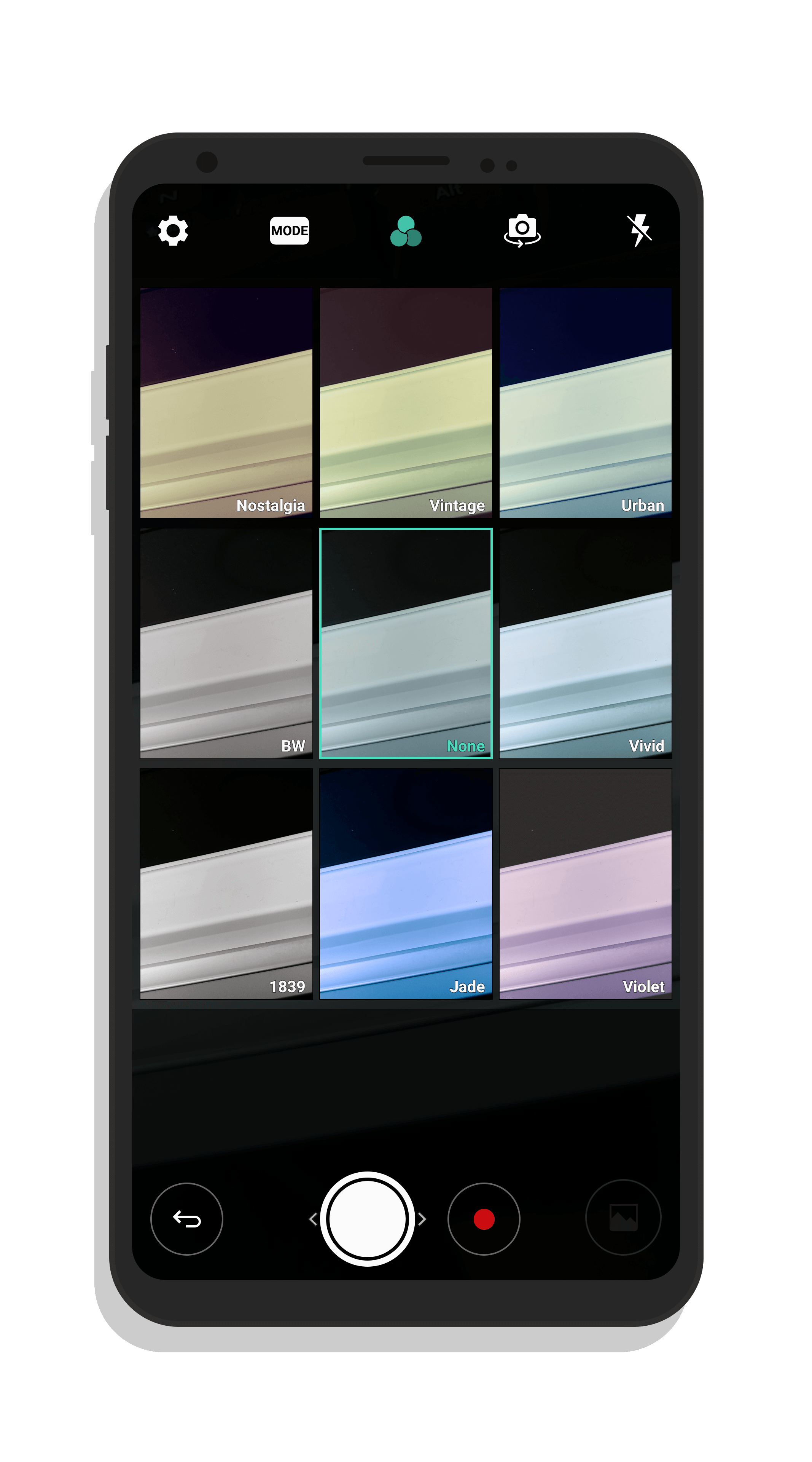
The camera app also has several different filters that you can use to augment your photos. These include things like a sepia look, black & white and vivid colors.
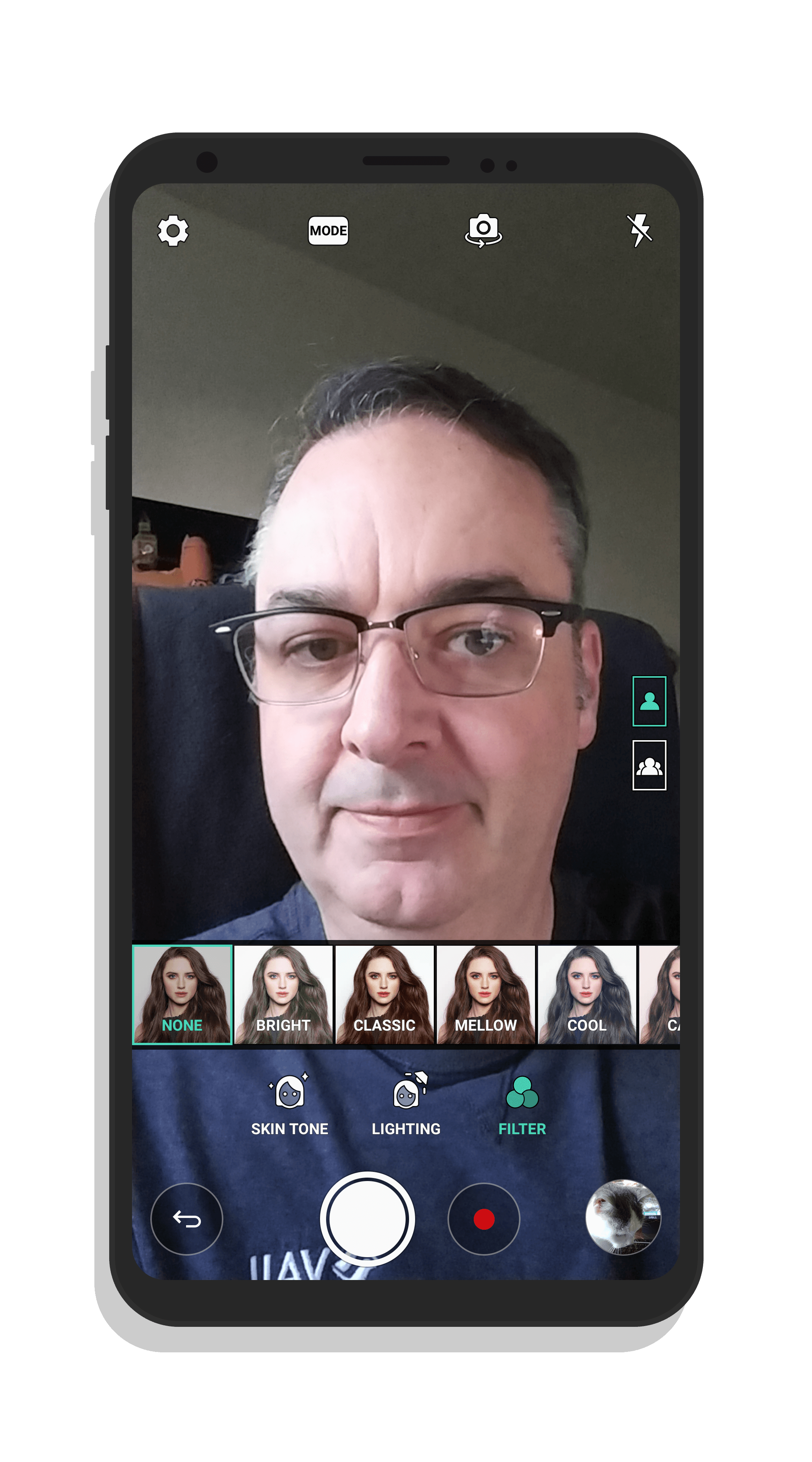
As for the selfie camera, it too is rock solid. It has different filters available too as well as skin tone and lighting enhancements to get the most out of it.
User Experience
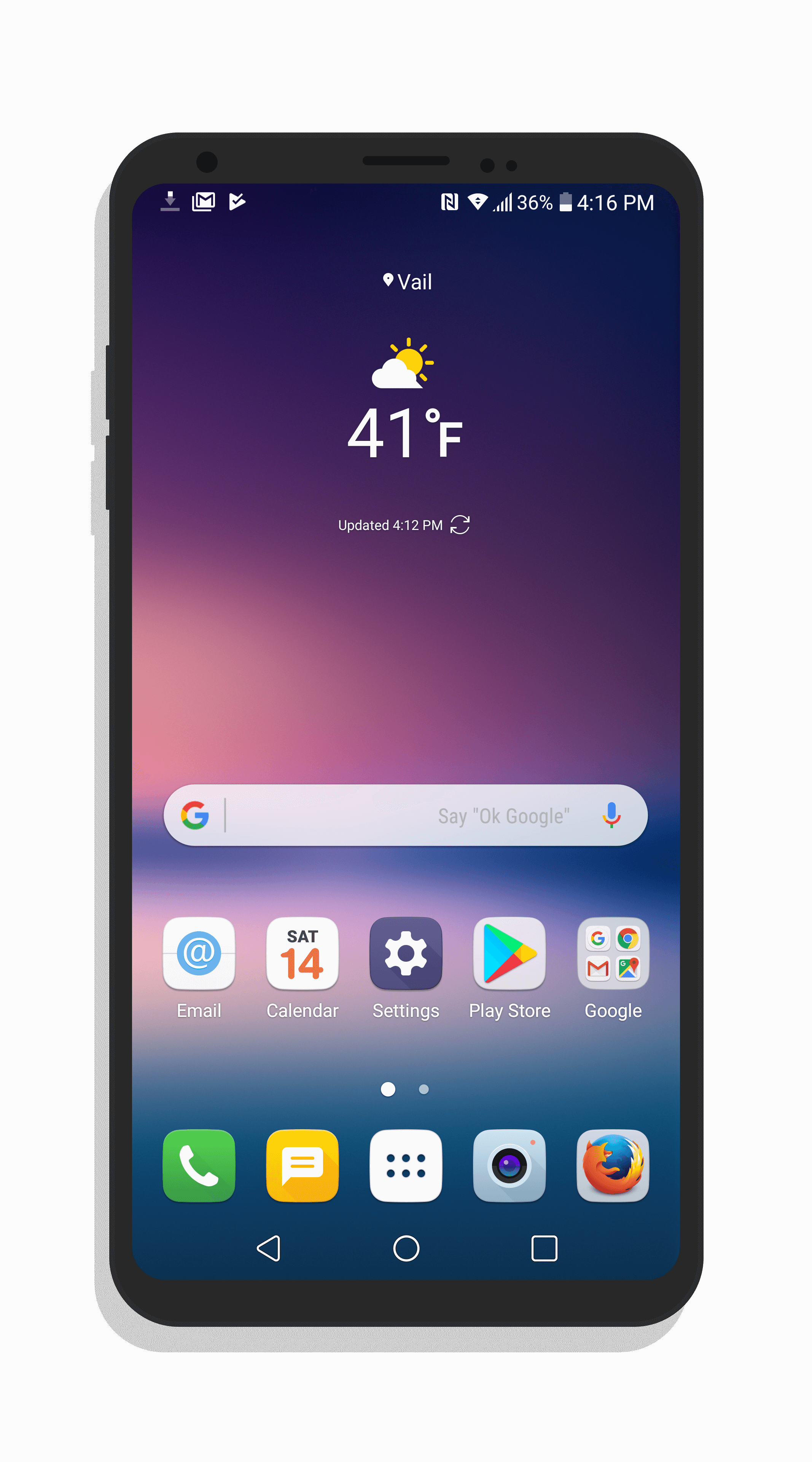
From a user experience perspective, LG leverages its own UX 6 as the V30’s launcher. It uses square icons and supports app shortcuts found in the underlying Nougat 7.1.2 build that the phone runs. There are three different modes you can use the UX 6 launcher in: A Home screen with all of your installeds or a Home screen with an app drawer that is more traditional to Android devices. There is also a third, EasyHome mode with large fonts.
Overall the launcher is solid with no real issues other than it is does take a toll on the battery. I noticed significantly better battery performance when I moved to Google Now or Nova Launcher over the stock launcher.
I should note that the model we were sent to review was locked to AT&T. That means it did have some AT&T apps pre-installed as well as some other bloatware apps. I’m not a big fan of carrier locked phones so if you can afford to go unlocked, do it. It will be a bit more pure in the experience and you will get updates faster.
Battery Performance
The battery performance of the LG V30 is solid and will get you through the day. As I mentioned above, if you are willing to change the launcher of the phone, you will get a bump in performance by doing so. But even without doing this, you should be able to make it throughout the day on a charge doing the normal things like Email, web surfing, a little bit of YouTube and Netflix.
Conclusion & Recommendation
Overall, I don’t have a problem recommending the LG V30. It is a good, solid phone from a performance and display perspective. The display is outstanding and photo quality is equally outstanding. My biggest reservation is the back of the phone. It feels flimsy. That may sound nit picky but when you are spending $800 on a phone, I don’t think I’m over reacting.
It is a deal breaker? Probably not. The reality is that you will likely have your V30 in a case, in which this becomes moot.
-
![LG V30]()
-
LG V30
-
![Back of the LG V30]()
-
Back of the LG V30
-
![Rear Cameras of the LG V30]()
-
Rear Cameras of the LG V30
-
![Ambient Display of the LG V30]()
-
Ambient Display of the LG V30
-
![LG V30 UX 6 Launcher]()
-
LG V30 UX 6 Launcher
-
![LG V30 Selfie Camera Modes]()
-
LG V30 Selfie Camera Modes
-
![Filters for Photos]()
-
Filters for Photos
-
![LG V30 Camera Modes]()
-
LG V30 Camera Modes
-
![LG V30 Indoor Photo]()
-
LG V30 Indoor Photo
-
![]()
-
LG V30 Outdoor Photo
Share this ClintonFitch.com Post
Like this:
Like Loading...