Author: Clinton

Updated Factory Images For Nexus Devices Released

It was widely expected that today would be the day that Google dropped the January security update for Nexus devices and that appears to be the case.  Google has updated the Factory Images page on their developer site, bringing the latest build of Android Marshmallow to a range of devices.  With the release of the images, users can expect the OTA updates to being shortly to the latest build of 6.0.1 while manufactures and carriers can start doing their testing to get updates out quickly.  It is likely we will see an update from HTC and T-Mobile drop for the One A9 and Nexus 6 respectively in the next two weeks.

The updated images are for all of the devices that were upgraded or released with Android Marshmallow.  Here is the list and the newest build number for each Nexus device.

  • Pixel C:  6.0.1 (MXB48K)
  • Nexus 6P:  6.0.1 (MMB29P)
  • Nexus 5X:  6.0.1 (MMB29P)
  • Nexus 6:  6.0.1 (MMB29S)
  • Nexus Player: 6.0.1 (MMB29T)
  • Nexus 9 LTE:  6.0.1 (MMB29S)
  • Nexus 9 Wi-Fi:  6.0.1 (MMB29S)
  • Nexus 5:  6.0.1 (MMB29S)
  • Nexus 7 (2013) Wi-Fi: 6.0.1 (MMB29O)
  • Nexus 7 (2013) LTE: 6.0.1 (MMB29O)

If you are comfortable with flashing your devices then you can download the files today and update immediately.  Otherwise you will need to wait for the OTA update.

Acer Announces Refreshed Chromebook 11

Acer has kicked off CES 2016 by announcing a refresh of their 11″ Chromebook.  The new 11.6″ Chromebook will be available in February and will start at just $179.99 for the 2GB RAM/16GB Storage model.  Sporting 9 hours of battery life and a Nano-imprinted pattern for a premium look, this new Chromebook is designed for portability with a weight of just under 2.5lbs.

“Acer’s position in the Chromebook market is unparalleled because we offer the range of Chromebook products that our customers want – including larger 15-inch displays and convertible models,” said Jerry Kao, president of Acer Notebook Business Group. “We know what our customers want most in a Chromebook are the attributes that complement the mobile lifestyle – great performance and a portable design at an excellent value – all this can be found in the Chromebook 11.”

I for one am looking forward to seeing this new unit as a potential replacement for my current Acer C670 Chromebook.  Based on the the information in the Press Release, I think this could be a great budget friendly Chromebook for a lot of users.

North America Carrier LTE Bands Primer

One of the more confusing elements of LTE/4G coverage here in North America is which carrier is using which band. It is something that carriers themselves don’t exactly come out and share readily for the most part and for consumers, if you are looking at a phone on Amazon or Ebay, you just want to make sure that it will give you the LTE speeds you want while on-the-go.  To that end, I’ve put together this post listing all of the carriers that support LTE and the bands that they use.  The idea here is to give you a simple primer to look and see if the phone you may be looking at purchasing is going to support 4G with your carrier.

To start, I’m only going to list those carriers in Canada, Mexico and the United States that support LTE.  If the carrier doesn’t support LTE (or they didn’t list it at least in their documentation) then they are not listed in this post.  I have also listed parenthetically the 3G(UMTS) and 3.5G(HSPDA+) frequencies for each carrier in the list below.  As these things go, this will be a living document of sorts and as more carriers pick up more bands, I’ll update the article.

Canada LTE Supported Carriers

  • Bell Canada: (850/1900) LTE: 4/7/17
  • MTS: (850/1900) LTE: 4
  • Rogers Wireless:  (850/1900) LTE: 4/7/17
  • Sask Tel: (850/1900) LTE: 4/38
  • Telus Mobility: (850/1900) LTE:  4
  • Videotron: (850/1900) LTE: 4

Keep reading after the break for Mexico and the United States.

Download The Google Calendar Wallpapers

If you use Google Calendar on your Android Phone or tablet, you will notice a wallpaper in the background as you view your diary in Schedule view. Each month has a different wallpaper representing that month or season in a Material Design kind-of-way.  Now you can download all 12 of these wallpapers to either make them a wallpaper for your devices any time you want.

Each wallpaper can be found on the Wallpaper page here on the site and each one measures 3840 x 3840 so you can easily make them a wallpaper for your Mac, PC or Chromebook should you chose to do so.  As with all of the wallpapers on the page, these are free to download.

How To Solve Project Fi 1 Ring Issues

There are times when Project Fi just doesn’t behave like it should.  It’s rare but it happens and when it does, figuring out how to sort yourself out can be a real time saver.  Recently I had an issue where I was receiving calls but it would ring once or twice then roll to voicemail.  I did some testing, restarted my Nexus 6 and cleared the app cache but nothing seemed to work.  The strange thing was, it started somewhat out of the blue.  One day I was fine, next I wasn’t.

I spoke with the Fi support team and I got this series of instructions to solve the issue.  And solve it, it did.  While the steps are a bit involved, it is worth having these instructions handy in case you ever run into this problem.  Obviously I can’t promise or guarantee that this will work 100% for you as it did for me – but it should.  As you will see after the break, the process is pretty involved and invasive. Also be aware that this involves clearing your device’s cache.

To go through this process, you will need to have your Nexus device running on Project Fi and will need to have a paperclip or SIM pin tool to extract the SIM from your device.  The step-by-step instructions on how to solve the 1 ring problem can be found after the break.

How To Create Your Own Gmail Theme

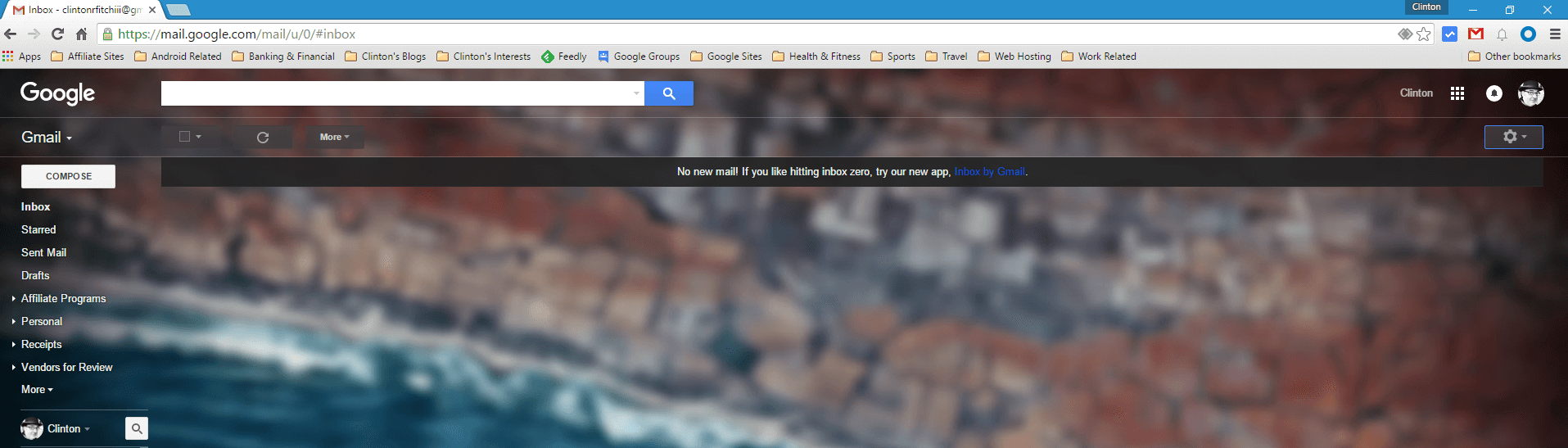
Gmail, like many aspects of your Chromebook, PC or Mac, can be customized to suit your liking and personality.  While some find the simple white background that comes standard in the web-based email service, I for one am not a big fan of leaving things generic.  I like having a little color and more specifically, I like having things that match across all my devices.  Themes and wallpapers are part of that but so is Gmail for me.  My current favorite wallpaper is the default wallpaper that comes with Android Marshmallow.  It is the wallpaper on both my Nexus 6 and Nexus 7 as well as the wallpaper on my Chromebook and my Windows PC.  Now it is also the wallpaper for my Gmail account.

My Gmail Android Marshmallow Background

My Gmail Android Marshmallow Background

To be clear, in this How To I am talking about Gmail on the web, not the Android app.  Whether you are using Chrome, Internet Explorer or Safari, you can have a theme for your Gmail account in just a few simple steps.  First, make sure you have the photo that you want to use as your wallpaper saved somewhere on your PC or on Google Drive so you can access it.  Once you have that done, continue on after the break to see how to set it up, configure & customize it and finally share it with anyone.


Project Fi Domestic Roaming – The Ins and Outs

While the concept of Project Fi is to provide users with the option of two carriers, T-Mobile and Sprint, there could be a time and place in the US where neither carrier has sufficient coverage. It is rare but it could happen. In that case, what happens to your Nexus phone on Fi? The news is actually really good both from a coverage and price perspective.

Keep in mind that if you are connected to Wi-Fi and it is strong enough, you can still take and make calls.  Last month I posted an article on how to tell if your calls are happening over Wi-Fi so you can refer to that for more details.  But assuming that you don’t even have that available, Fi kicks in to “Domestic Roaming”.  That means that it will use whatever carrier is available to get you connected to make those calls.  In my research of this topic, there have been multiple Fi users who have reported that when T-Mobile or Sprint was not available, their Nexus devices connected to AT&T or Verizon for coverage.  This happened automatically for those users who had roaming enabled (Settings>More>Cellular Networks on your device).

I should be clear that I personally have not experienced or used Domestic Roaming.  In all of my travels I have always had T-Mobile or Sprint available to me.

So what does that cost you as a Project Fi users if you happen to go onto the AT&T or Verizon network?  Absolutely nothing.

Review of The Zagg Auto-Fit Folio

As users of Android and Windows based tablets continue to demand more productivity from their devices, accessories like Bluetooth keyboards equally are seeing a rise in usage. We see things like folio-style keyboards that essentially serve as a case and keyboard for your tablet all in the effort of providing a physical keyboard while not adding much bulk or adding a measure of protection. One of the best at providing that functionality as well as protection is the Zagg Auto-Fit Folio

Designed to fit 7″, 8″ or 10″ tablets, the Zagg auto-fit Folio uses a spring-loaded mechanism to hold your tablet in place while giving you a comfortable and very responsive keyboard that you connect to your tablet via Bluetooth. Add to that, the keyboard is folio-style case that has a hard outer shell to provide protection for your tablet while it is inside the keyboard case.

I recently received one of the Zagg Folio’s to try out with my Nexus 7 and having used it heavily in that time (in fact, this review is being written on it), I have to say it is one of the best Bluetooth keyboards I have used. It has solid performance, responsive typing and key action and is simply to setup all while not adding a huge amount of bulk to a slim tablet. This product is certainly one I can recommend with confidence.

%d bloggers like this: