Author: Clinton

Today’s Deal – Big Savings on RAVPower External Battery Packs

Today’s Deal is on your choice of external battery packs from RAVPower.  Over at Amazon, they have three different models ranging from $19.49 up to $37.49 but all are anywhere from 51 to 63% off the regular price.  The 12000 mAh model has dual USB ports and 2.4A of output for $19.49.  This is the new model of this pack which is 20% smaller and 15% lighter than the previous model.  It will give you 3 charges of a Galaxy S7, has a combined 3.4A output (2.4A max each) on its dual USB charging ports and has RAVPower’s iSmart technology for fast, safe and efficient charging of your devices.  This pack is also using the lates Li-Polymer technology for higher performance and better protection against short circuits and over-charging.  At $19.49, this is a solid deal.

Next up is the 16750mAh model that also has dual USB ports but higher total energy output.  This $23.99 model can charge a Galaxy S7 3.5 times and claimed to have the hight output of any external pack on the market in this capacity.  It features 4.5A of total output which makes it capable of charging 2 tablets at the same time.  It too features batteries that have over 500 charge cycles, have short-circuit and over-current protection to keep you and your device safe.  Normally this model is $41, so at $23.99 you are saving about 61%.
Google Play Newsstand Gets A Major Makeover

The news aggregation and magazine reading app from Google, Google Play Newsstand, has a major update rolling out today into the Play Store.  The new version 4.0 of the app is, more-or-less, a complete revamp of the app.  The new update is more in line with Material Design and overall Android app design and features bottom navigation instead of being driven from the hamburger menu like the previous version.  The new For You section gives you a summary and highlights of news from various sources including sources for local news.  New in the app is the ability to have this section of the app downloaded to your device for offline reading.  You also note that the articles are heavily AMP driven for faster loading and when you have read an article, the title will go from bold to normal text to let you know.

Need Help With Google Home? Try the Google Home Forums

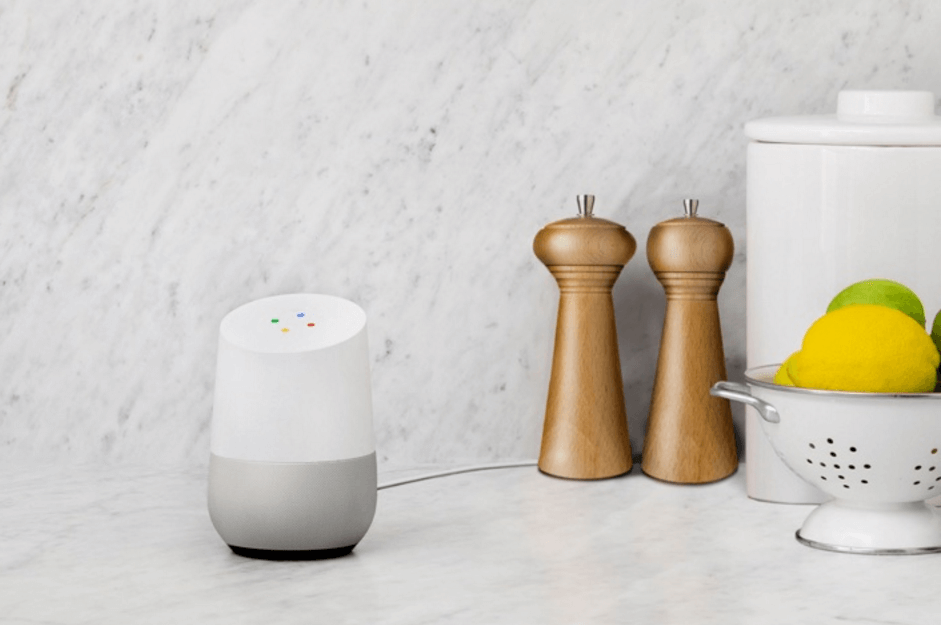
Like most products and apps from Google, Google Home has a user-based help forum available for everyone.  The forum is a great place to go get answers to your questions, find out news and information and interact with experts both from Google and other users on Home.  While the Home forums are not as active as other forums like the the one for Gmail, Project Fi or Google Photos, it is getting there pretty quick as more people order the smart speaker device for their home.

Google Home

Google Home

If you have a Home and are looking for some help or answers, head over to the forum and take a look around.  It is possible that your question has already been answered so be sure to do a search of the forum.  If not, you can easily post a question and one of the product experts or even a Googler will reply back with information if the answer is known.  If you are familiar with the forums for other products, you may be looking for who are the Top Contributors or Rising Stars.  Right now, because the product and the forum are both new, there are not any designated TCs yet.  That’ll change soon enough as more of us who are TCs in other communities (I am one in Google Photos) answer questions and, of course, new users who lend a helping hand to their fellow Home user.

Check out the forums to get help or to help others.  It’s a great community across a wide range of Google products and apps.

Skype for Android Sees Minor Changes in Latest Update

Skype for Android has a small but nice update rolling out in the Play Store this morning.  The new build, version 7.24.0.255 for those keeping score at home, brings some UI refinements as well as some useability improvements to the long standing video and messaging app.  Probably the biggest change is the Calls tab interface.  It has been updated with a quick call option and a new dialer button.  Those of you who use Skype for calls, particularly international calls where the service really shines, will enjoy this update as it is much cleaner.

Read on for more details

Today’s Deal – Nextbit Robin in Midnight or Mint for $169

I appreciate that I’ve told readers about this deal already – twice in fact.  But it is one of those deals that is just too good to pass up.  Over at Amazon you can still pick up the Nextbit Robin for $169.  Originally the deal was only on the Mint color but now it is also on the darker Midnight color option.  Regardless of which color you choose, you are getting a solid mid-range phone with great specs and performance.  I reviewed the Robin a few months ago and at the time I said it was a pretty good deal at $299.  At $169, it is one of the best deals on a phone with these specs out there.

For those that don’t recall, the Nextbit Robin has some great features and offers a unique device-meets-cloud storage solution.  It has 32GB of onboard storage merged with 100 GB online storage, so you always have the space you need. Robin seamlessly backs up your apps and photos, intelligently archives the stuff you’re not using, and easily restores items when you need them.  The idea is that you never run out of space.  Those less used apps are backed up into the cloud but then are instantly available when you want them.  You’ll know an app has been backed up into the cloud as it will be grey on your Robin.

Continue reading after the break for more details

Google Releases Daydream into the Play Store

The Google Daydream VR headset has started to ship to those who have ordered it and Google, as expected, as released the Daydream app into the Play Store.  The app allows users with the new Google Pixel to have a full VR experience with the headset.  The VR UI for when you have your phone in the headset is very easy to navigate and if you have played with Google Cardboard in the past, it will look pretty similar to you.  Using the controller, you can look to an app you want to start and click the button to launch it.  Obviously content is still pretty limited at this point but more is on the way.  Google, in fact, launched YouTube VR today too.

Read more after the break

Google Chrome Browser Update for Windows & Mac Released

If you are a Google Chrome user on your Windows PC or Mac, there is a small but important update that has been released.  The updated builds are 54.0.2840.99 for Windows and 54.0.2840.98 for Mac.  Note that there is no update for Linux yet.  According to the release notes from the Chrome team, there are additional changes to the browser for that platform and it will be updated tomorrow.  The update will come via an OTA update but if you want to force the issue, go to chrome://help in the browser and it will force the update to happen.  I’ve already done this for my Macbook so the update is readily available.

Read on for details on what has changed.

Google Home Actions API Opening To Developers Next Month

Having had a Google Home in my house for most of this week, there are some things that need improvement (I’ll cover that in more detail in my review coming up next week).  One of those areas is app integration.  There are just a handful of apps that work with the help of Google Assistant and Google Home.  For it to be successful, this has to change and it likely will starting next month.  Google has announced that the Google Assistant Actions API will be opening up to developers starting next month.  That means developers will be able to enhance their apps to work with Assistant and, in turn, Home, through three different action models.  First, there is the Direct Actions.  This is designed for straightforward requests for things like home automation, etc.  As the name suggests, it is something you direct your app to do as it interacts with Assistant.

Read on for more details

%d bloggers like this: