Author: Clinton

Google PhotoScan Makes Capturing Old Photos Easy

Google is in the process of dropping a new app into the Play Store, Google PhotoScan.  As the name suggest, PhotoScan is aimed at making capturing old photos and them storing them electronically (like in Google Photos) painless but in great quality.  The app detects edges, straightens the image, rotates it to the correct orientation, and removes glare.  Then you can save it to your Google Photos account with a single tap.  And remember – if you are using Google Photos and storing photos in High Quality (photos under 16MP really benefit from this) then they don’t count against your Google Drive storage quota.

Using Google PhotoScan is easy.  With the app on your Android phone, point your camera at the photo you want to scan.  In the PhotoScan app, after you line up the photo and tap the shutter button, there will be four dots on the screen.  Line up the camera with those four dots and PhotoScan stitches things together to create a high quality digital image of your photograph.
Twitter Adds Improved Muting Features to Curb Online Abuse

Twitter has announced changes to their app and policies with the specific aim of cutting down on online abuse and bullying.  The changes will be rolling out over the course of the next few days and will bring a much enhanced mute feature.  This new feature will not only allow you to mute a particular account (which you can already do) but also allow you to block keywords and emoji too.  Notifications can also be muted after this update so if you are a victim of bullying or abuse on the service, you can quite literally turn that person or those words completely off in the app – and make your life a little bit easier.

Bullying and abuse has been a seemingly constant problem for Twitter.  Many individuals have left the service for a wide range of abuse issues from gender, orientation and political views.  Twitter in their update today stated that they know these changes won’t end it overnight but is working to try to cut it down.

WhatsApp Adds Video Calling Functionality

Joining the ranks of Facebook Messenger, Microsoft Skype and Google Hangouts, WhatsApp has finally added video calling to the popular messaging app.  The update comes after several weeks in beta testing and the service will be using parent company Facebook’s data centers for the video calling functionality.  The updated version of the Android and iOS app will be rolling out over the course of the next few days.

In order for video calls to work, both parties in the call will have to be running the latest version of the app so it make take a few days for all of your contacts to get the update – thus being able to make video calls.

Today’s Deal – 3-Pack of Anker USB Type-C Cables for $18

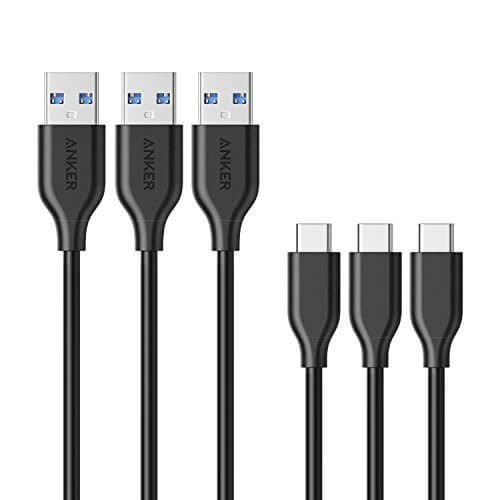
Today’s Deal is on a 3-pack of 3′ USB Type-C cables from Anker.  This pack of cables is great for those with a MacBook Pro, a Nexus or Pixel phone or any other USB Type-C device and today it is down to $18.69 on Amazon.  Long time readers will know that I have recommended Anker products for a long time.  They work well, have great durability and are backed by a great warranty.

Anker Powerline USB Type-C Cables

Anker Powerline USB Type-C Cables

Virtually every cable I have in my office is Anker and I don’t see that ending any time soon.

This 3-Pack gives you three Type-C cables that are designed to give up to 5Gbps transfer speeds (although most devices can hit that mind you), are rubberized for durability and protection of the cabling inside and, on the USB Type-A connector, supports USB 3.0 technology to give you fast throughput. The cables also have a kevlar lining to help them withstand thousands of bends as you use them.  They are built to last and should do that for you but, like other Anker products, these cables are backed up with an 18 month warranty against defects.

The deal on Amazon is for today only and the pack of cables does have Amazon Prime shipping (free) for those who are members.  There is also no limit on the number of packs you buy in Today’s Deal but the price is good while supplies last.

Pro Tip: Using Google Search with Your Camera

We all know how powerful Google search is on our devices.  Whether it is by voice or by typing in a search request in the Search bar or in Chrome, getting to information is quick and easy and makes finding out things on the go simple.  But did you know that you can also do a search via the camera built into your Android phone?  It is a feature that has been there since Marshmallow and for a while was limited to the Google Now launcher.  That has gone away and whether you are on a device using the Google camera app or not, it works.  In fact, I tested it out on three different launchers (Google Now, Nextbit Launcher, Action Launcher) and all three allow you to do this type of searching.  I’m assuming it works with any combination but if you find a launcher or camera app which it doesn’t work, let me know so I can update this post.

Google Play Music Gets A Massive Overhaul

Google has announced that a major overhaul of their music streaming service, Google Play Music, is rolling out this week.  The update will bring a significant change to the user interface of the app but there are also a lot of changes happening behind the scenes to make a better overall experience.  What the company is doing is building in Google’s machine learning into the app.  The idea is for it to learn the music you like as well as when you listen to certain types of music so it can make better and more accurate suggestions.

Google Play Music uses machine learning to figure out what music you like and then mixes in signals like location, activity, and the weather along with hand-picked playlists to personalize music for wherever you are and whenever you want tunes. Starting this week on Android, iOS and the web, the new experience will roll out globally (62 countries, to be precise).

This should sound pretty familiar.  Google has been in the process of injecting their machine learning into all of their apps and services over the course of the past year with the aim to have their apps and devices understand you better.  While we tend to think of machine learning in big contextual things (like Google Home for example), having it in straight forward apps like Google Play Music will bring a much richer experience to users too.

Harry Potter Complete Collection 48% Off At The Google Play Store

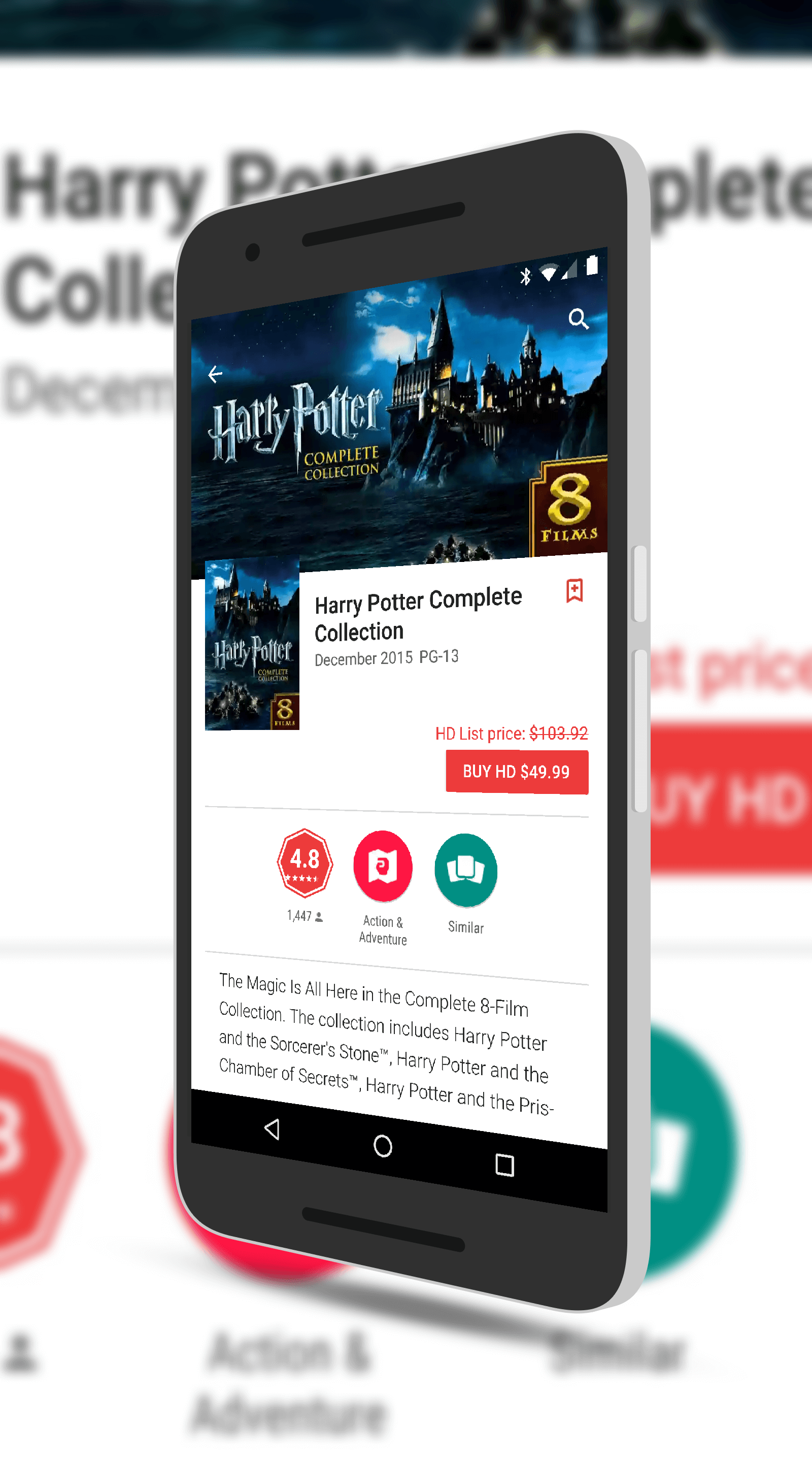
Harry Potter fans, there is a great deal for you this week in the Google Play Store.  Right now you can pick up the entire 8-movie collection of Potter movies for $49.99.  That is a huge savings of 48% off the regular price of $103.92.  All of the movies are in HD and because you are getting them through Google Play, you can Cast them to your TV via Chromecast or Roku and can download them to devices to watch offline.  It is a great deal for sure.

Harry Potter Collection

Harry Potter Collection

The collection comes with all of the movies in the series:

  • Harry Potter and the Sorcerer’s Stone
  • Harry Potter and the Chamber of Secrets
  • Harry Potter and the Prisoner of Azkaban
  • Harry Potter and the Goblet of Fire
  • Harry Potter and the Order of Phoenix
  • Harry Potter and the Half-Blood Prince
  • Harry Potter and the Deathly Hallows – Part 1
  • Harry Potter and the Deathly Hallows – Part 2

That’s a lot of watching but if you love the series like me & my family do, it is a great deal.  To put how good this deal is in perspective, each of the individual movies in HD are $12.99 each.  In this deal, they are $6.25 each.  Head over to the Play Store to buy the bundle

Mint Update Brings Fingerprint Support

For those of you who use Mint for managing your household budgets and finances, there is a nice update out for you this morning.  The update, version 4.14 for those keeping score at home, brings support for fingerprint authentication.  Mint joins an ever increasing number of apps that support fingerprint authentication as it for the most part will be safer than PINs or passwords.  The new feature is not enabled by default and, as expected, you won’t see it as an option if you have the app installed on a phone that doesn’t have a fingerprint scanner.  To enable it, go to Settings>Security and there is a new checkbox to enable it.  The next time you start up Mint, you will be prompted to scan your fingerprint to get into your financial information.

%d bloggers like this: